
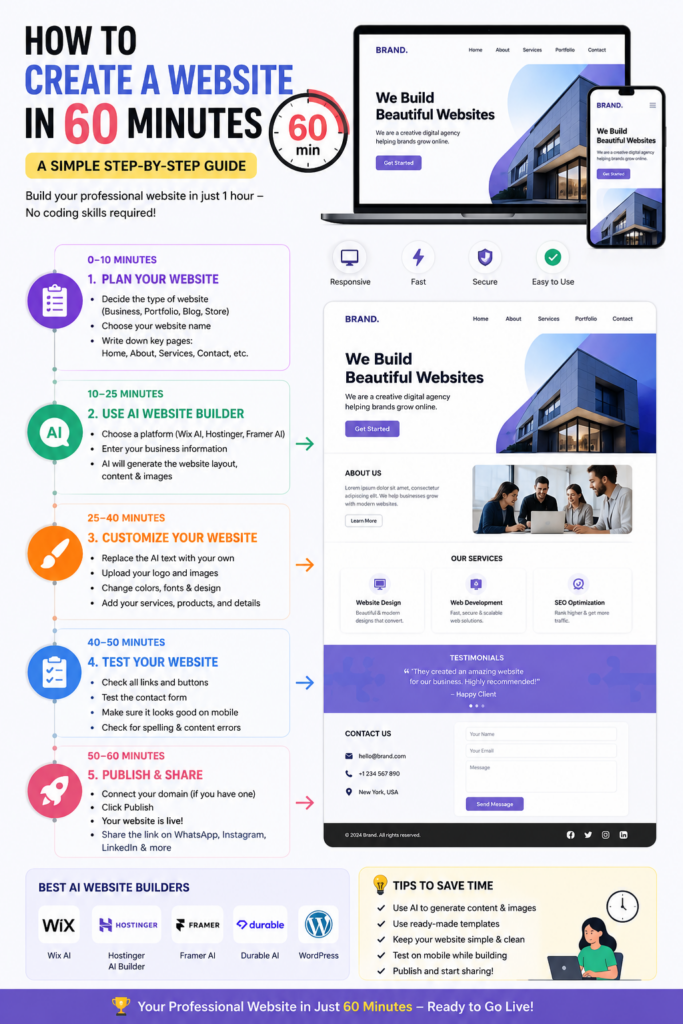
0–10 Minutes: Plan
- Decide the website type (business, portfolio, blog, online store).
- Write down:
- Website name
- Logo (optional)
- About section
- Services or products
- Contact details
10–25 Minutes: Use an AI Website Builder
Choose one:
- Wix AI
- Hostinger AI Website Builder
- Framer AI
- WordPress + AI
- Durable AI
Enter a prompt such as:
“Create a modern website for a digital marketing agency with Home, About, Services, Portfolio, Testimonials, and Contact pages.”
The AI will generate the website layout, text, and design.
25–40 Minutes: Customize
- Replace the AI text with your own.
- Upload your logo and images.
- Change colors and fonts.
- Add your contact information.
40–50 Minutes: Test
Check that:
- All buttons work.
- The site looks good on mobile.
- Forms send messages correctly.
- There are no spelling mistakes.
50–60 Minutes: Publish
- Connect your domain (if you have one).
- Publish the website.
- Share the link on WhatsApp, Instagram, and LinkedIn.
Example Website Structure
- 🏠 Home
- 👤 About Us
- 💼 Services
- 🖼️ Portfolio
- ⭐ Testimonials
- 📞 Contact
Tools You Can Use
- Wix AI (beginner-friendly)
- Hostinger AI Website Builder
- Framer AI
- WordPress
- Canva (for banners and graphics)